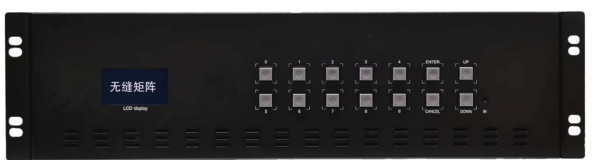
16in 16out matrix
HDMI High-Definition Seamless 1616 Matrix User Manual
Product Overview
This 16x16 high-definition seamless digital matrix features seamless video signal switching , built-in splicing output, a bandwidth of up to 1.8 Gbps , 16 input/output channels, and supports up to 4K 60Hz input and output resolutions . It also includes network remote control and an RS232 communication interface, allowing for LAN remote control via computer or mobile app control. This equipment provides a system solution for professional engineering projects.
Features
Supports 16 -channel video signal input and output, with adjustable outputs including 4K 60Hz input, 4K 30Hz, and 1080P.
Supports seamless switching of any input signal , and has built-in splicing function for output ;
Supports LCD screen display with selectable Chinese and English subtitles;
Supports RS232, infrared reception, LAN remote control, Android AAP, and button functions;
Supports optional EDID information management functions, presenting the best display effect;
Supports HDMI audio/video separation , independent 3.5mm headphone jack insertion, and output de-insertion ;
pre -planned patrols, with timed patrols and power-off data saving function;
Product Appearance
front
back
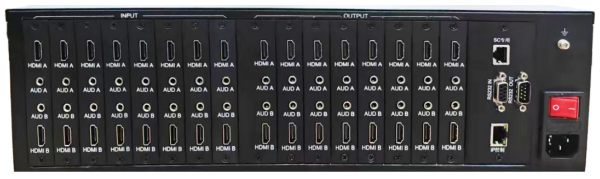
Interface Description
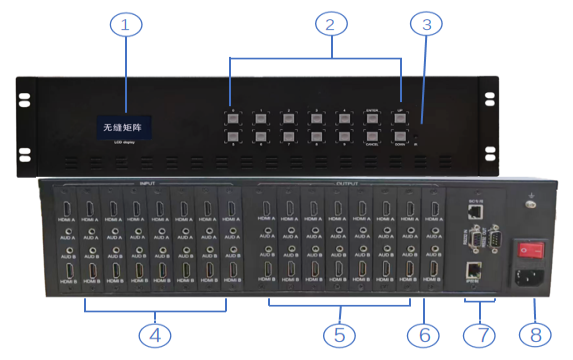
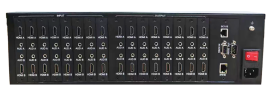
① Display screen area; ② Button area; ③ Infrared remote control area; ④ HDMI input area; ⑤ HDMI output area; ⑥ Headphone 3.5mm audio output; ⑦ RS232 control loop-through output area; ⑧ AC 220V power input area;
Seamless switching instructions
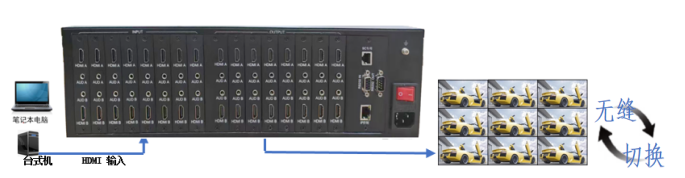
Example 1 : Seamless switching, switching the first video input signal to the first channel output, the operation is as follows:
Button operation 0101 LCD display IN 01 — 01 OUT
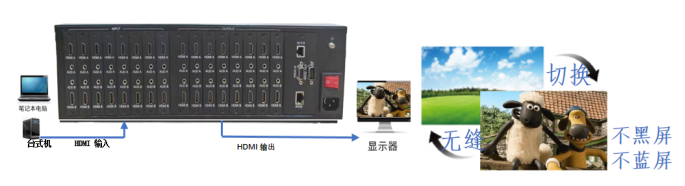
Example 2 : To switch the first video input signal to all channel outputs, follow these steps:
Button operation 0100 LCD display IN 01 — 0 0 OUT
Splicing Switching Instructions
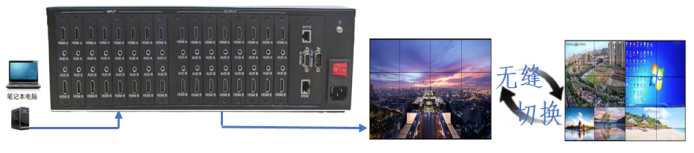
Connect via serial port or network, and open the PC client control software.

As shown in the image above, select the interfaces that need to be spliced for output. You can splice the entire screen or split the screen seamlessly back and forth.
Product Parameters
category | describe | |
Function | Transmitted signal category | HDMI/DVI signals |
transmission cable | HDMI/DVI, AWG26 HDMI 2.0 cable standard | |
Power supply section | Power supply method | AC1 10 ~ 240V , DC12V 120W power supply |
Power consumption | <50W, depending on the channel setting | |
HDMI/DVI performance and interfaces | HDMI version supported | HDMI 1.3 1.4 HDMI 2.0 |
HDCP supported version | HDCP1.4 | |
HDMI input resolution | 1080p/1080i/720p/576p/576i/480p/480i, 3D, 4K 3840*2160* 6 0Hz | |
HDMI output resolution | 1920x1080P 60Hz / 4K 60Hz / 720p adjustable output | |
Supports video color formats | 24-bit / 30-bit / 36-bit / 48-bit | |
Supported audio formats | DTS-HD/Dolby-trueHD/LPCM7.1/DTS/Dolby-AC3/DSD | |
Maximum transmission rate | 1 8 Gbps | |
Input/output TMDS signals | 0.5~1.5Vp-p (TMDS) | |
Input cable length | ≤15m (AWG26 HDMI 2.0 cable standard) | |
Output cable length | ≤ 1.5m (AWG26 HDMI 2.0 cable standard) | |
Process control | RS232, TCP/IP | 9600 baud, 8 bits, 1 stop bit, no parity bit; LAN |
Protection level | Electrostatic protection | 1a Contact discharge level 3 1b Air discharge level 3 |
Operating environment | Operating temperature | 0℃~60℃ Non-condensing |
Storage temperature | -20℃~75℃ | |
Humidity (non-condensing) | 20%~70%RH | |
Operation Response | Channel switching speed | 100ns seamless instantaneous switching |
Operating software | PC control software | MixCont for Windows XP/Vista/WIN7 |
Body attributes | Materials/Colors | Electrolytic plate, black |
Optional components | 3 U / Suitable for 19-inch racks | |
reliability | Mean Time Between Failures | >40,000 hours |
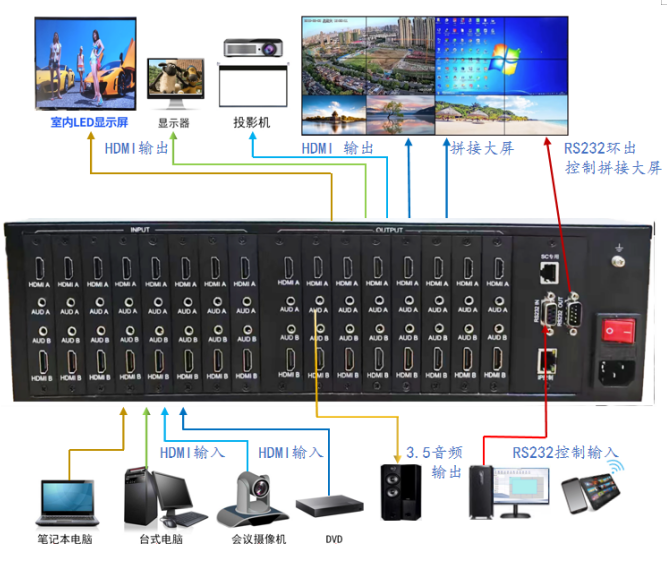
Device connection diagram
Switch mode
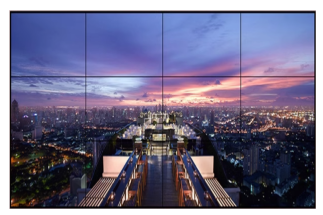
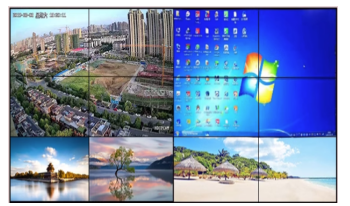
One-to-all switching full-screen splicing, many-to-many switching split-screen splicing


Many-to-many switching to single screen, one-to-one switching to single screen
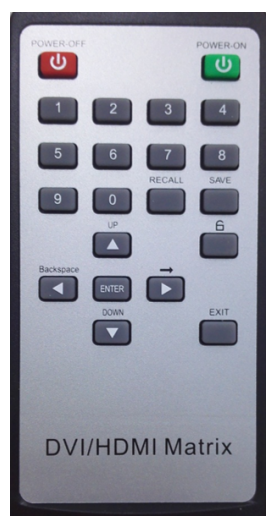
Remote Control Instructions
NO | Function key | function | Instructions for use |
1 | POWER-0FF | standby button | Stop working after standby. |
2 | POWER-0N | Power button | Start working after power-on |
3 | 0 to 9 | Input/output channels, numeric operation keys | Implement the required digital operation functions in the menu and channels |
4 | RECALL | Contingency plan retrieval button | Retrieve the saved contingency plan number |
5 | SAVE | Save plan button | The current channel saves the contingency plan for future retrieval. |
6 | UP | menu up arrow keys | Scroll up the menu |
7 |
| Button lock | Preventing accidental button presses |
8 | Backspace | Backspace key | If the input/output channel is selected incorrectly, you can backspace to re-enter. |
9 | | Input channel jump key | Channel switching shortcut key |
10 | EXIT | Exit button | Exit the current menu |
11 | ENTER | Menu button and OK button | Retrieve menu, confirm menu |
12 | DOWN | Menu scroll down arrow keys | Scroll down the menu |


RS232 communication protocol
Serial communication: Baud rate 9600, 1 stop bit, no parity , string format, ID PH00: A value of 00 indicates that it applies to all controlled matrices , while a value other than 00 indicates that it applies to a specific matrix .
Example of switching commands:
1 in, all out: PH00SW0100NT
2 in, all out: PH00SW0200NT
4-in, all out: PH00SW0400NT
1 in, 1 out: PH00SW0101NT
2 in, 2 out: PH00SW0202NT
1 in, 2 out: PH00SW0102NT
The rest follow the same pattern:
Reset command:
PH00SW0000NT
Please refer to the agreement for details.
Product Package
| HDMI 1616 Seamless Matrix Host |
| RS232 DB9 adapter set |
| power cord |
| remote control |
| System User Manual and Certificate of Conformity |


Common Faults and Maintenance
1. When the computer and the matrix cannot communicate, it may be because the serial port parameters are not set correctly. You should check whether the serial port number and other parameters are correct.
2. If the output video signal flickers or is intermittent, it may be because the cable is not properly connected to the matrix and should be reconnected.
3. If there is ghosting or snowflakes on the image when the 1616 matrix is connected to an external display device , it may be due to substandard cable quality, and the cable should be replaced.
4. If the indicator light is not on and there is no response, check if the matrix power input is making good contact.
5. The output image is being interfered with, possibly because the input/output devices are not properly grounded.
6. If you feel a noticeable static electricity when plugging or unplugging the video interface, it is possible that the device's power ground wire is not properly grounded. Please ground it correctly, otherwise it may damage the host and shorten its lifespan.
7. If the matrix panel buttons, communication port, and network port cannot be controlled when powered on normally, the main unit may be damaged internally. Please send it to a professional for repair.